BGA Chip Replacement or Reballing? Laptop Graphics Card Repair
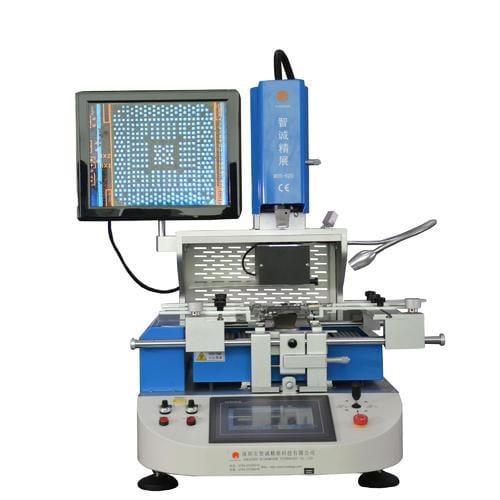
Replace the Graphics Card or Reballing?
There can be several reasons for no display. One of the most common is a damaged graphics card.
A dedicated graphics card in a laptop comes as a BGA chip soldered onto the motherboard or as a separate unit on an MXM or PCI-E connector.
A BGA chip stops working when the balls connecting the core to the chip housing (BGA laminate) or to the motherboard crack.
Typical symptoms: display artifacts, no image, bluescreen, incomplete resolution, split image, system freezes, reduced performance.
The most common BGA chip failure is a damaged connection between the core and the chip laminate. When the chip itself is defective, the effective repair is replacing the chip with a new one free of defects.
In our service, the vast majority of chips are replaced — reballing only after diagnosis.
Most BGA problems we see are factory-defective chips (e.g. the nVidia G84/G86 series). Reballing — resoldering the same chip with new balls — works and can last for years, but only when the damage is purely mechanical: a cracked ball, a cold joint after shocks. When the chip is on the defective list, reballing won't help, because the defect sits inside the chip itself. That's why we diagnose first and decide later — no "blind" reballing.
Remember that the most common cause of BGA chip damage is excessive temperature. Cleaning and maintaining the cooling system should be done at most every year and a half.
Founder of the workshop (since 2009), personally supervises every repair and data recovery. Over 18 000+ completed orders. About Us
Zobacz, jak to robimy
Prawdziwe nagrania z naszego laboratorium — @kolegainformatyk
Powiązane artykuły

After Shutting Down Windows, the Computer Won't Turn Off.
Recently, we have observed a significant increase in laptops that don't boot properly. However, there is also another problem - computers...
BIOS Password Reset
How Lightning Destroys Your Devices
Lightning rods effectively protect buildings from direct lightning strikes but do not protect electronics from power surges in the electrical grid....